
Track-day lap analysis
Race the best driver
of your car
Upload a track-day log. Our AI learns your car from it, drives that car around the same 3D track, and shows you exactly where the time went: braking points, apex speed and exits, corner by corner.
Your lap
1:22.332
AI lap, your car
1:16.810
Time on the table
5.522 s
Mallala, 1400 kg road car: a real log, and the AI driving that same car.
How it works
Three steps to faster laps
01
Log a session
Drive your track day with a quality GNSS logger: Harry's LapTimer, RaceChrono or a Racelogic VBOX. It doesn't matter where your logger started and stopped.
02
Upload the file
Coach98 works out which track and layout you drove, then learns your car from the log: grip, power, braking and drag. You give us its weight and aero package, and the AI takes the wheel.
03
Read the debrief
Within minutes, replay your lap beside the AI driving your car, with the grip, power and braking it learnt from your log. Time lost is broken down by micro-sector, with the reason for each gap.
The debrief
You and the AI, in the same car
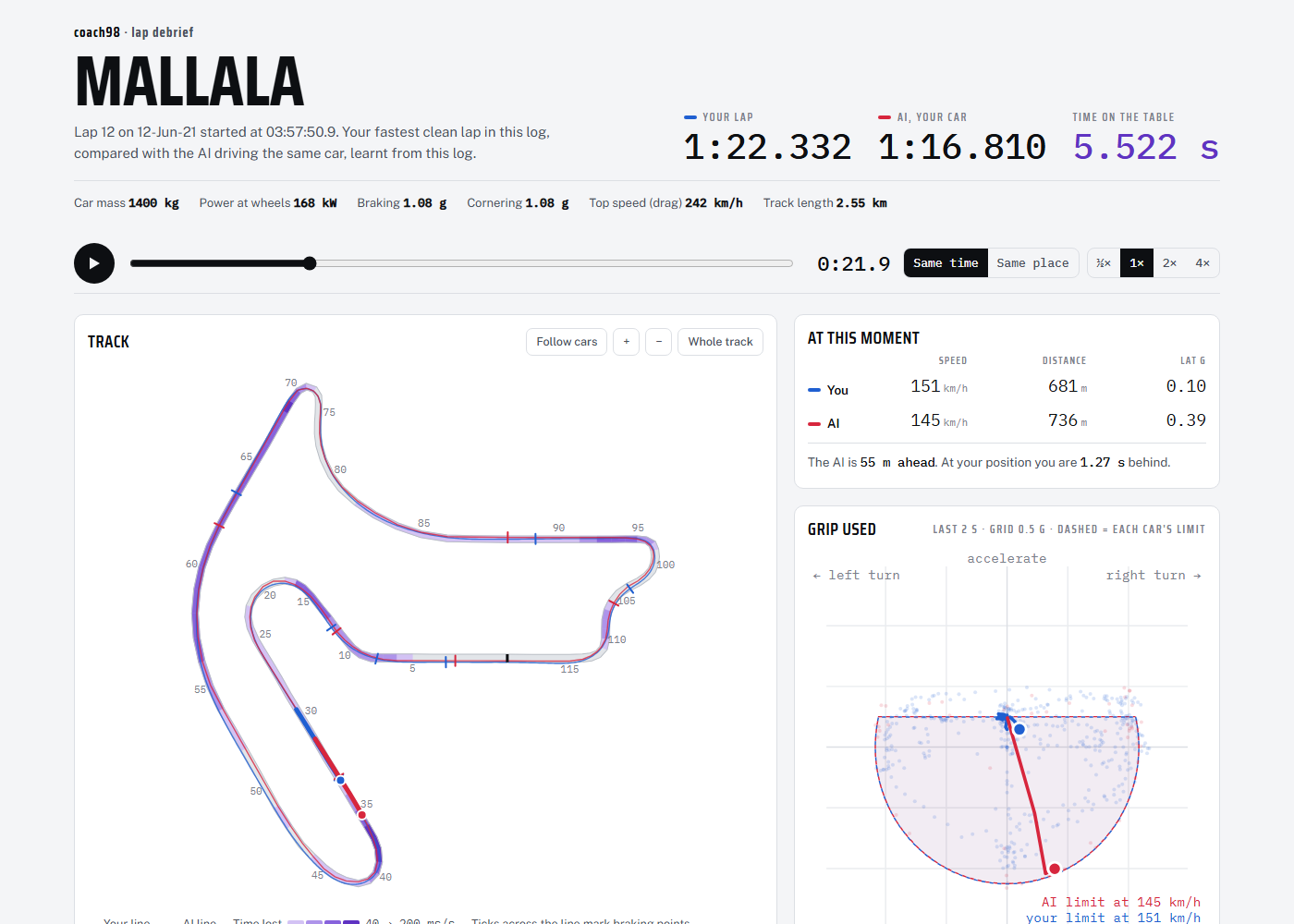
Scrub through the lap and watch both cars on the track map. Live speed, G-G grip use and distance traces sit beside it, and the time-loss table ranks every sector by what it cost you. Same car, same track, so every tenth it finds is one you can find too.
Bring a good log
The analysis is only as good as your logger
A phone’s built-in GPS logs about once a second and struggles under high-G circuit driving. Pair your phone app with a dedicated GNSS receiver, such as a Dual XGPS160 or a Racelogic VBOX Sport, and the debrief gets far sharper.
- Harry’s LapTimer, iOS and Android
- RaceChrono, iOS and Android (CSV export)
- Racelogic: VBOX Sport, VBOX LapTimer, Video VBOX, PerformanceBox, DriftBox (.vbo file)
- RaceBox: Mini, Mini S, Micro (VBO export)
The log needs at least one complete lap. Coach98 aligns to the track’s own start/finish line.
Find your next second
Upload a log, let the AI drive your car, and get your full lap debrief free.